Monthly
Everything in ToneSmith, month to month.
$7/month
- Unlimited separations and exports
- Web app + Photoshop plugin
- Effects Studio, Mockup Studio, Gang Sheets
- Cancel anytime
Drop in your art and move the sliders. ToneSmith shows the halftone as you go, builds the white underbase and exports print-ready files. No Photoshop round trips. No outsourcing.Move the sliders, see the halftone live, export print-ready files. No Photoshop round trips.
7 days free · Cancel anytime · Press and hold on the print for a closer look7 days free · Cancel anytime · Hold on the print for a closer look
 OriginalBeforeSeparationAfter
Dot size from 15 to 85 LPI, any angle, 13 dot shapes. Levels on a real histogram, knockout on any colour, cleanup for stray dots. The preview redraws while you drag, so you set it by eye, not by export and hope. Grab a slider.Dot size, levels and dot shape, redrawn while you drag. Grab a slider.
30 LPI, round dots
The everyday default. Watch the loupe as each setting scans across.
Flip one switch and ToneSmith makes the white layer from your art, choked in 0 to 5 px so it never shows past the colour. Export the colour and the white as separate PNGs, or one CMYK TIFF with a white spot channel.
Effects Studio · included
Grit brushes, patina textures, screentone, vintage fades, frames and gradient maps, stacked live on your art. Every layer stays editable, and every edge stays fully on or fully off, so effects never bring the haze back. Tap one.Grit, patina, screentone, frames and gradient maps, stacked live. Tap one.
The City, clean
The art as it came in, separated for the shirt.
Mockup Studio · included
155 garment styles from 8 brands, over 3,000 colours, front and back. Send the separation straight from the editor, add a background and your logo, export a client-ready mockup.
The same file going to film: colour, then the white, powder, cure, press, peel. Hard Edges makes every pixel fully on or fully off, and the halo check flags trouble before it reaches the printer.
Gang Sheet Builder · included
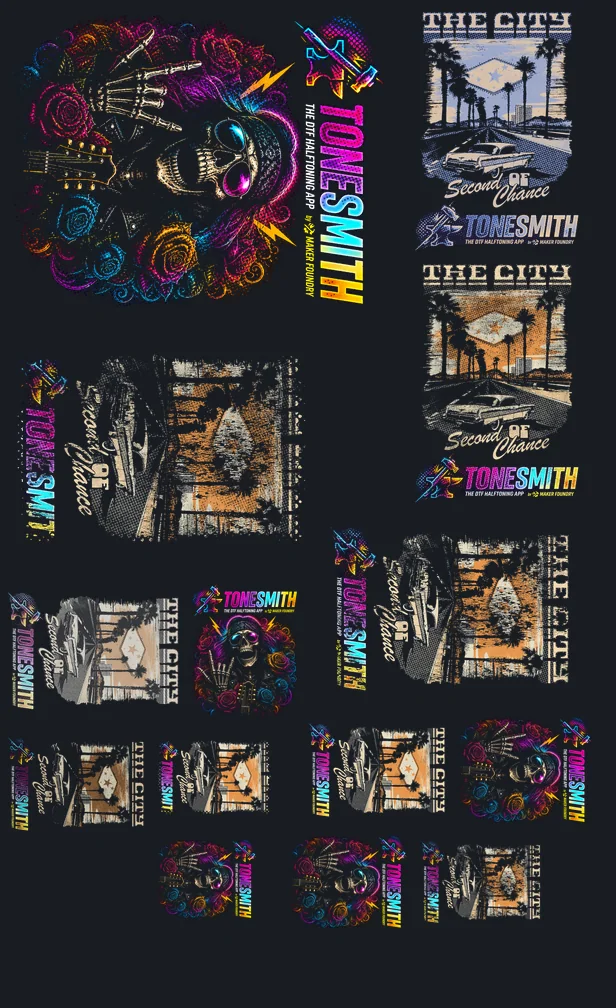
Drop in your designs and Auto Nest packs them onto 12, 13, 22 or 24 inch film, turning them where it saves film. This 22 by 36 inch sheet was packed by the builder itself.
Pick a shirt colour. Or drop in your own artwork and watch the real ToneSmith engine separate it, right here in your browser. Nothing is uploaded.
Start free for 7 days. Cancel before day 8 and pay nothing.
Start free trialEvery control was made for one job: turning a customer's file into a print-ready DTF or DTG separation. These are captures of the live app.


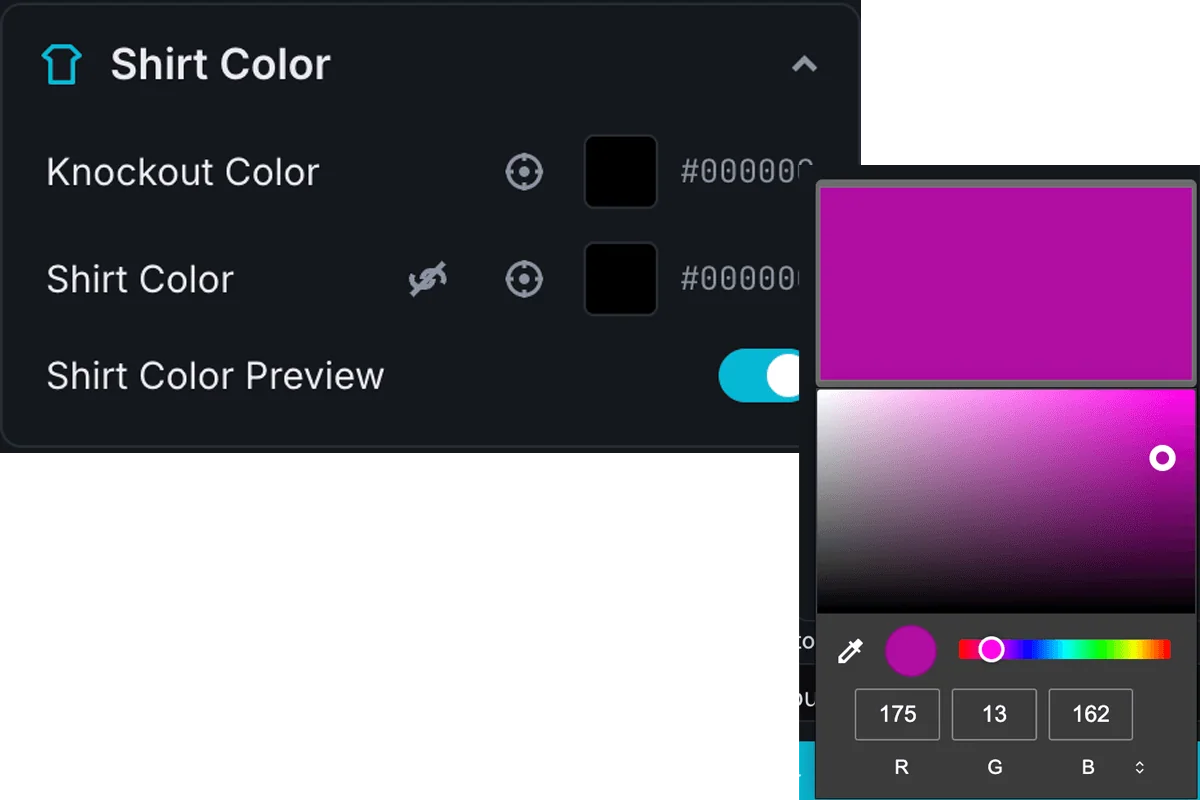

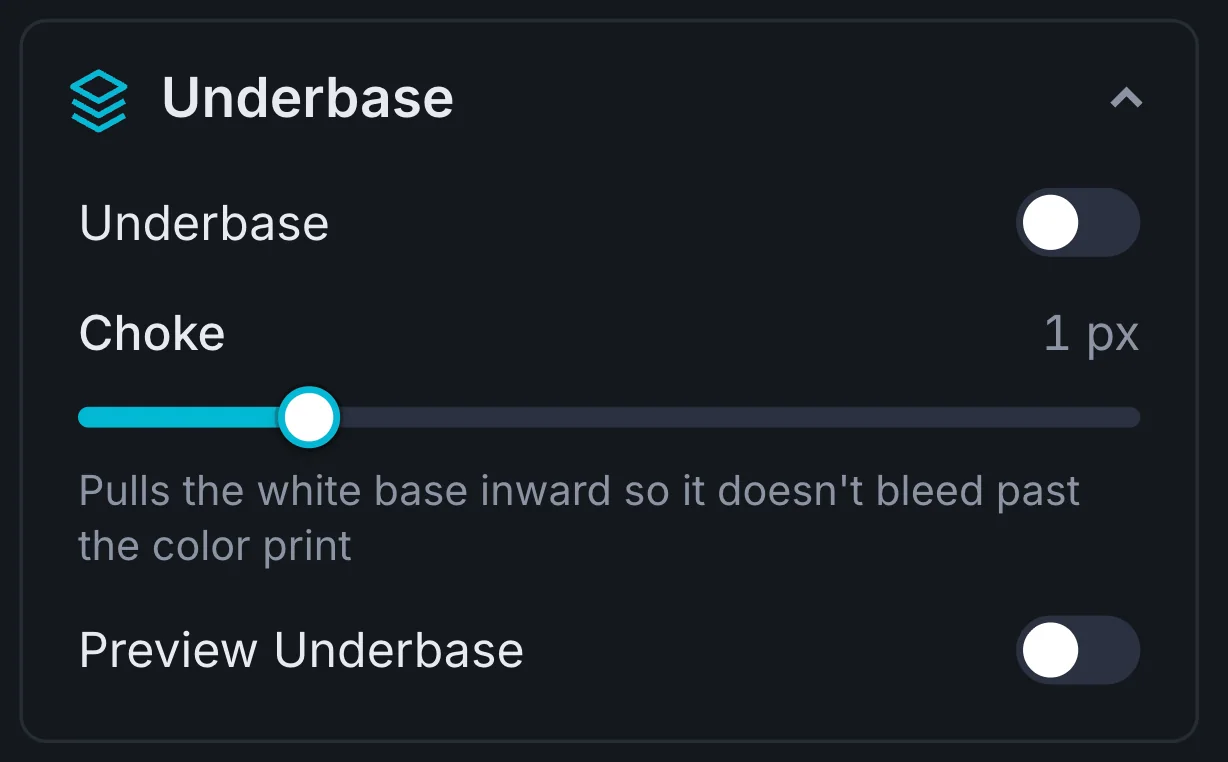
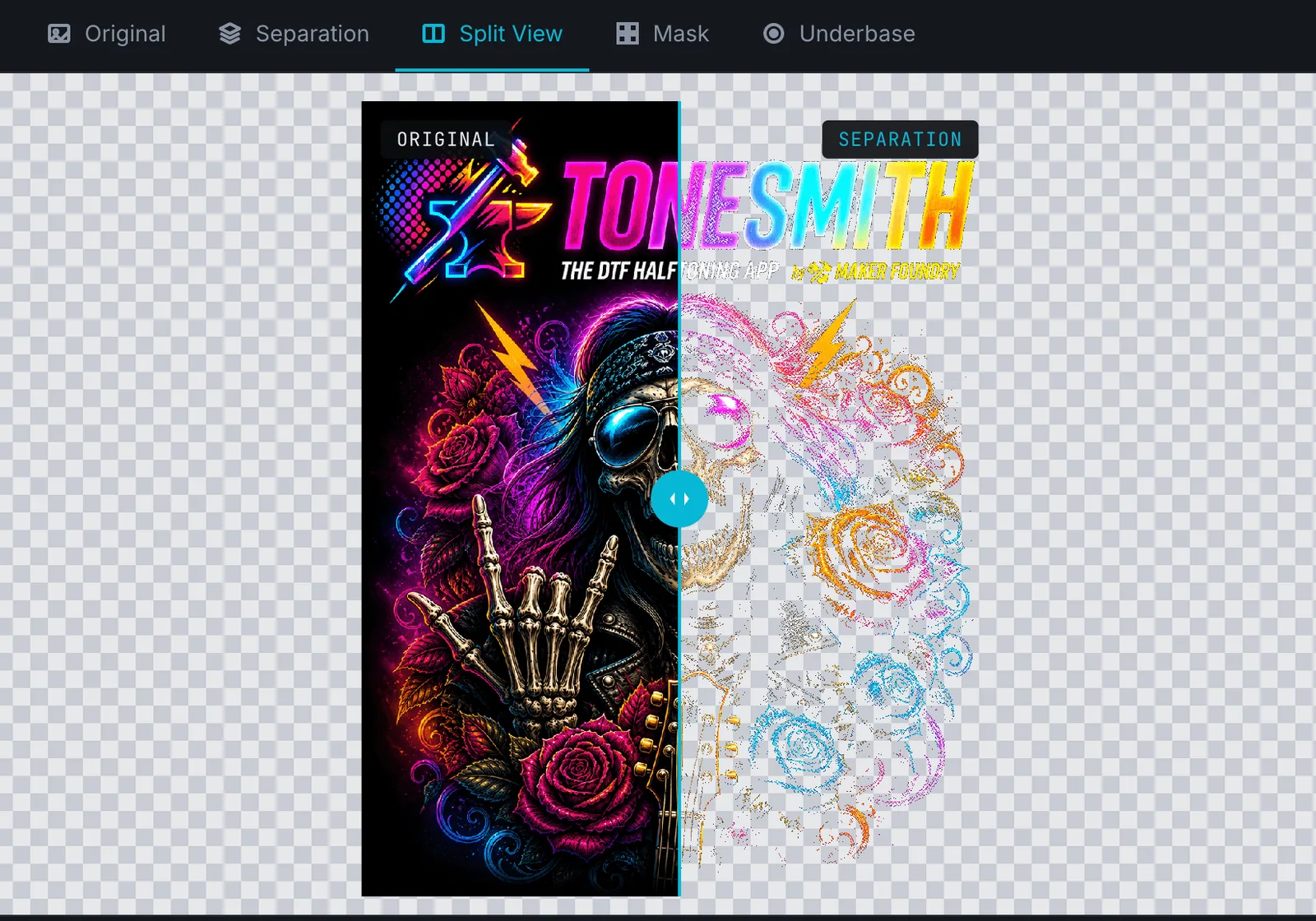
The same tabs you get in the editor, with the same art. Click through them, and turn on the shirt colour to see the print on the shirt.

The halftone separation. Turn on the shirt colour to see it on the shirt.
No sign-up needed
The halftone editor with real art and real controls, the Effects Studio, the Mockup Studio or the gang sheet builder. All four work, free.
All in one browser tab. No Photoshop scripts, no saving out and loading back in.
PNG, JPG or WEBP. Remove a background with one click, crop it, and upscale small art to print size at 300 DPI.
Dot size, angle, shape, levels and cleanup, with the preview redrawing as you go. Compare against the original any time.
The separation and its white underbase as separate PNGs, or one CMYK TIFF with a white spot channel for your RIP.
Send it to a gang sheet or the Mockup Studio in one click. No saving out and loading back in.
Every control is here because a real print shop asked for it.
Start free trialChange the dot size, angle, shape or levels and the preview redraws while you drag. Set it by eye instead of exporting to find out.
One switch makes the white layer from your art. Choke it in 1 px at a time, 0 to 5 px, so it never peeks past the colour.
Soft edge pixels are what print as haze. Hard Edges makes every pixel fully on or fully off, and the halo check flags trouble before you print.
Upscale small art, then export at 300 DPI: separation and underbase as PNGs, the mask on its own, or a CMYK TIFF with a white spot channel.
Rather work inside Photoshop? The plugin runs separations there, from the Plugins menu (Photoshop 23 or newer). Every plan, the trial too.
Click a colour to knock it out, set black and white points on a histogram, and let cleanup clear the stray dots.
The web app runs in your browser and your artwork stays on your computer. Nothing is uploaded to us.
Auto Nest packs your designs onto 12, 13, 22 or 24 inch film, rotating where it saves film. Big sheets split into tiles.
155 garment styles from 8 brands and over 3,000 colours, front and back, with backgrounds and your own watermark.
Grit brushes, patina textures, screentone, vintage fades, frames and gradient maps, stacked live and non-destructive.
Plus, the Effects Studio · included
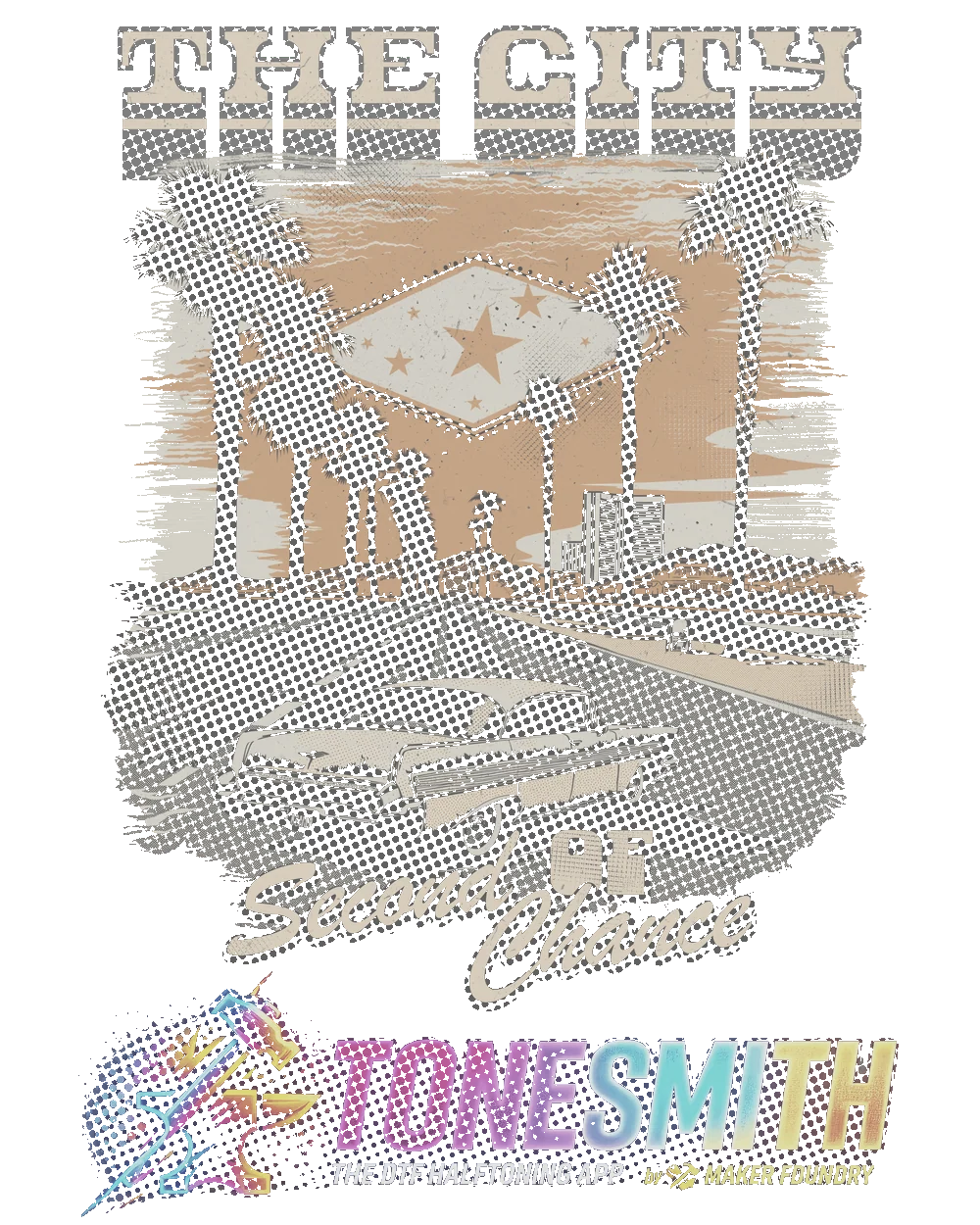
Stack print effects on your art right in the browser: grunge you paint on by hand, worn textures, vintage fades, halftone patterns, frames and gradient maps. Every layer stays editable, and every edge stays fully on or fully off, so effects never bring the haze back.



Plus, the Mockup Studio · included
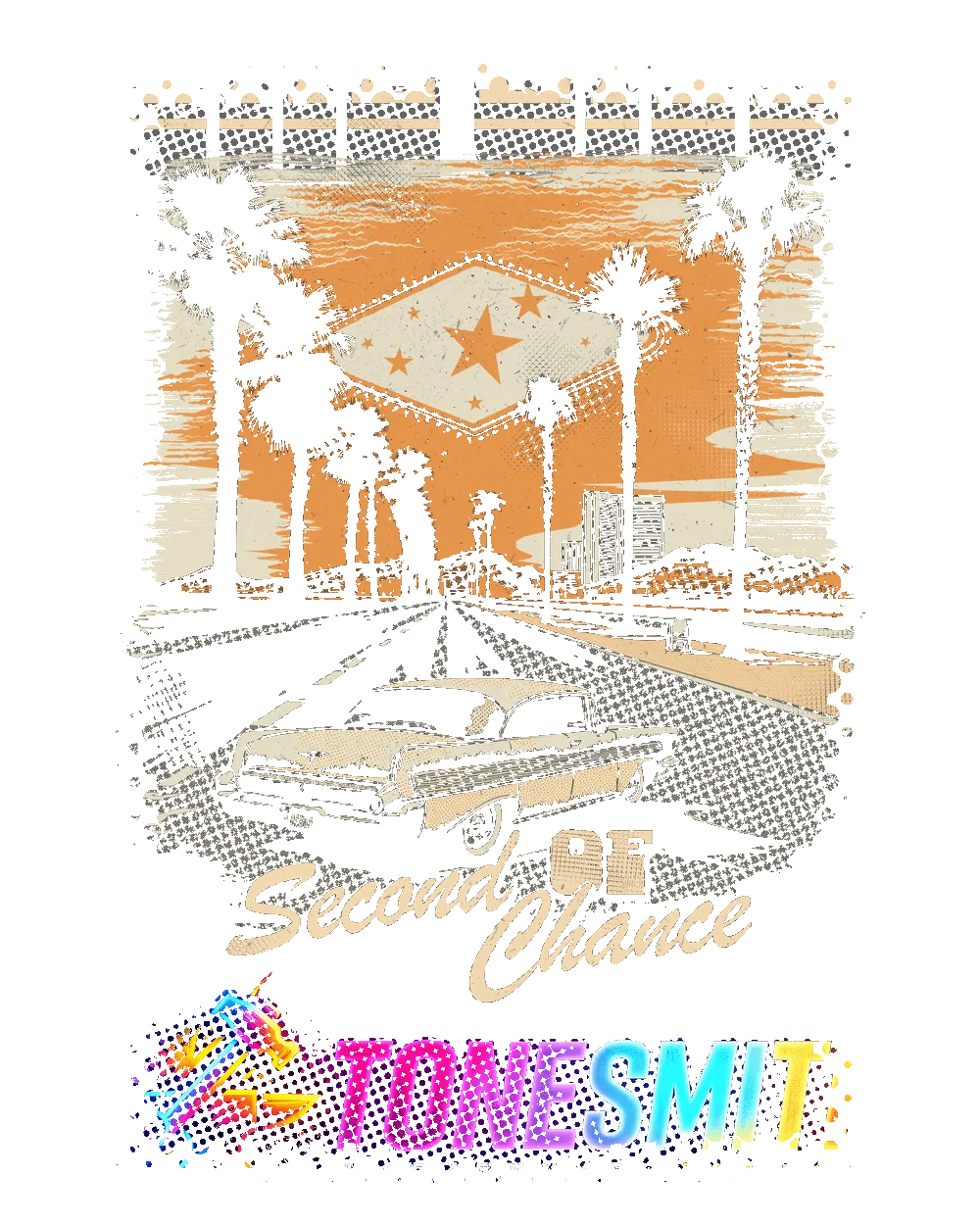
Send your separation straight from the editor onto a real garment photo. Pick the style and the colour, add a background and your shop logo, and export a client-ready mockup in one go.


Plus, the Gang Sheet Builder · included
Drop in your designs and Auto Nest packs them tight, rotating where it saves film. Sheets bigger than your printer can take split into tiles that line up edge to edge.
Upload to print-ready DTF files, in under three minutes.
Most failed prints are not the printer's fault. They are the artwork's fault: bad masks, bad halftones, no proper underbase. And no amount of expensive ink fixes a bad separation.



You took the order and the customer loved the mockup. Then the shirt comes off the platen with a box round the design, or a halo round every soft edge, and it is a reprint. We built ToneSmith so you stop fighting your prep software and start printing.
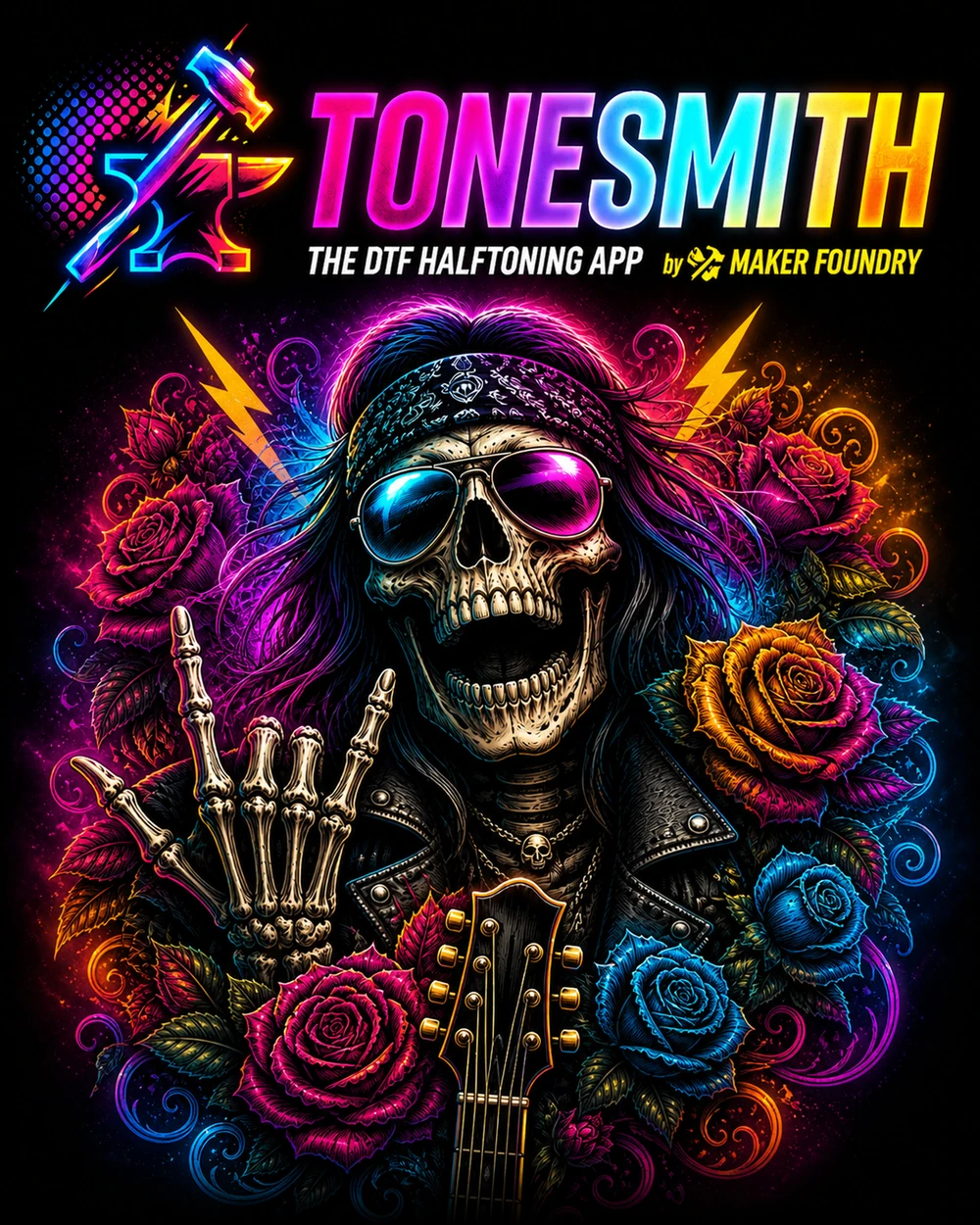
Knock out the background, build a choked white base, export. The same three steps for every shirt colour you stock. These are real ToneSmith separations of the art at the top of this page.

We are Maker Foundry, and we actually print. Our retail brand Marked & Made is a working personalisation shop running DTF orders every day. We have fought every black box and reprinted every white-haze disaster.
We tried the separation tools out there. Too expensive, too dated, buried in tutorials, or not built for a small shop. So we built our own, first for us, then for the makers we already support.
ToneSmith is the tool we wished we had when we started: fast, modern, honest pricing, no upsell maze. Just clean separations and your time back.
Marked & Made · Maker Foundry · ToneSmith
We were paying an outside artist $20 a file just to get clean separations. ToneSmith pays for itself before lunch on most days. The white base just works.
ToneSmith is faster, cheaper, and the live preview is night and day. Switched in a week.
First DTF order I prepped with ToneSmith: zero white halo. I checked twice because I didn't believe it. My customer didn't believe it either. Repeat order in 4 days.
The Photoshop plugin is the secret. Same controls inside PS as the web app. My designer was up to speed in an hour.
Before ToneSmith, halftones were the part of every order I dreaded. Now it's the part where I close my laptop and go push the press button. Honestly fewer reprints than my old workflow.
I run a small home shop and didn't think this was for shops my size. It IS. The free trial got me on day one and I haven't gone back to my old process.
Web app, Photoshop plugin, Effects Studio, Mockup Studio and the Gang Sheet Builder, on one plan. Try it free for 7 days, or pay once for lifetime.
Everything in ToneSmith, month to month.
$7/month
$3.92 a month, billed yearly. Save 44%.
$47/year
Pay once. Yours for as long as ToneSmith exists.
$149once
The 7-day free trial is on the monthly and annual plans: nothing is charged until day 8, cancel before then and you pay nothing. One trial per person. Lifetime is a one-time payment and a final sale, so try everything in the trial first.
Just want the plugin?
The ToneSmith Photoshop plugin on its own, with a lifetime license. Every dot shape, angle and LPI, knockout, live preview, cleanup and the white underbase. Plugin only: no web app or studios.
Every plan comes with the tools, training and downloads that make your first print better than your last.
 Included
A dot test grid from 10 to 75 LPI. Print it, press it, or send it to your DTF supplier to see what dot size your setup holds.
Yours after sign-up
 Included
Separations inside Photoshop, from the Plugins menu. Install it once through Creative Cloud. Every paid plan, every lifetime tier and the trial.
Download it from your account
Short videos for every workflow: uploading, halftones, levels, the white underbase and exporting.
Included in the trial
The guarantee
Try ToneSmith free for 7 days. If your prints aren't cleaner, cancel before day 8 and it has cost you nothing. No charge, no quiz, no "are you sure" funnel. Just a cancel button in your account.
Start free trialToneSmith is one of the Maker Foundry apps. FoundryPass unlocks every one of them with a single membership.
 ToneSmithYou are hereDTF/DTG halftones + Photoshop plugin
7-day free trial on monthly and annual · cancel anytime · the Master Key is one payment, final sale.
No. The web app does the whole job in your browser: separation, white underbase, export. The Photoshop plugin comes with every plan in case you would rather work inside Photoshop.
Pick a monthly or annual plan and add a card. You get 7 full days with everything unlocked and nothing is charged until day 8. Cancel from your account before then and you pay nothing. One trial per person. Lifetime is a one-time purchase, not a trial.
PNG, JPG and WEBP. Small art can be upscaled to print size in the Image Size panel, and every export is set to 300 DPI unless you change it.
Yes. You get the colour separation and the white underbase as separate PNGs that line up, or one CMYK TIFF with a white spot channel. 13 dot shapes, any angle from 0 to 45 degrees, 15 to 85 LPI.
Haze comes from soft, semi-transparent edge pixels. Turn on Hard Edges and every pixel exports fully on or fully off. The DTF halo check scores your file and points at the problem before it reaches the printer.
Yes. Cancel plan is on your account page and takes you straight to the cancel screen. No email, no waiting. You keep access to the end of the period you paid for.
Yes. Separations run in your browser. Your artwork is never uploaded to our servers.
No. All three come with every web plan at the same price. ToneSmith Lite is the Photoshop plugin on its own and does not include them.
Yes. Send to Gang Sheet and Preview in Mockup Studio are right in the editor. No saving out and loading back in.
As long as your printer takes. Sheets too big to export in one piece split into tiles that line up edge to edge.
A live, non-destructive editor for finished artwork: grunge, distress, vintage fades, textures, frames and gradient maps. Style it there, then send it to the halftone editor to separate for print.
Not when you finish with Crisp: it makes every pixel fully there or fully gone. Grit, Frames and the pattern effects cut on a hard on or off line too.
No. Lifetime and ToneSmith Lite are one-time purchases, charged in full at checkout, and final. That is what the free trial is for: try everything on a monthly plan first, then buy lifetime during or after it at the same price.
Stop wrestling with halftone scripts. Start printing.
7-day free trial · then $7 a month or $47 a year · or $149 once · or in the FoundryPass
— more from ToneSmith
Free tools, libraries and guides — most of it works before you pay for anything.